Your first model on typestrict, step by step
From a spreadsheet to a model that runs on any CPU, in five steps and one credit: what each screen asks, what the agent does for you, how the result is measured against Jev and what you take home.
A decision model answers one question about one piece of text, the same way, thousands of times a day: which team handles this ticket, is this refund legitimate, how urgent is this message. This guide trains one from scratch, with the screens of a real run, so you know what to expect before you spend your first credit.
1. Bring your data
Start a training and pick where the data comes from: your own files, a public dataset, or data the agent already structured in another training.
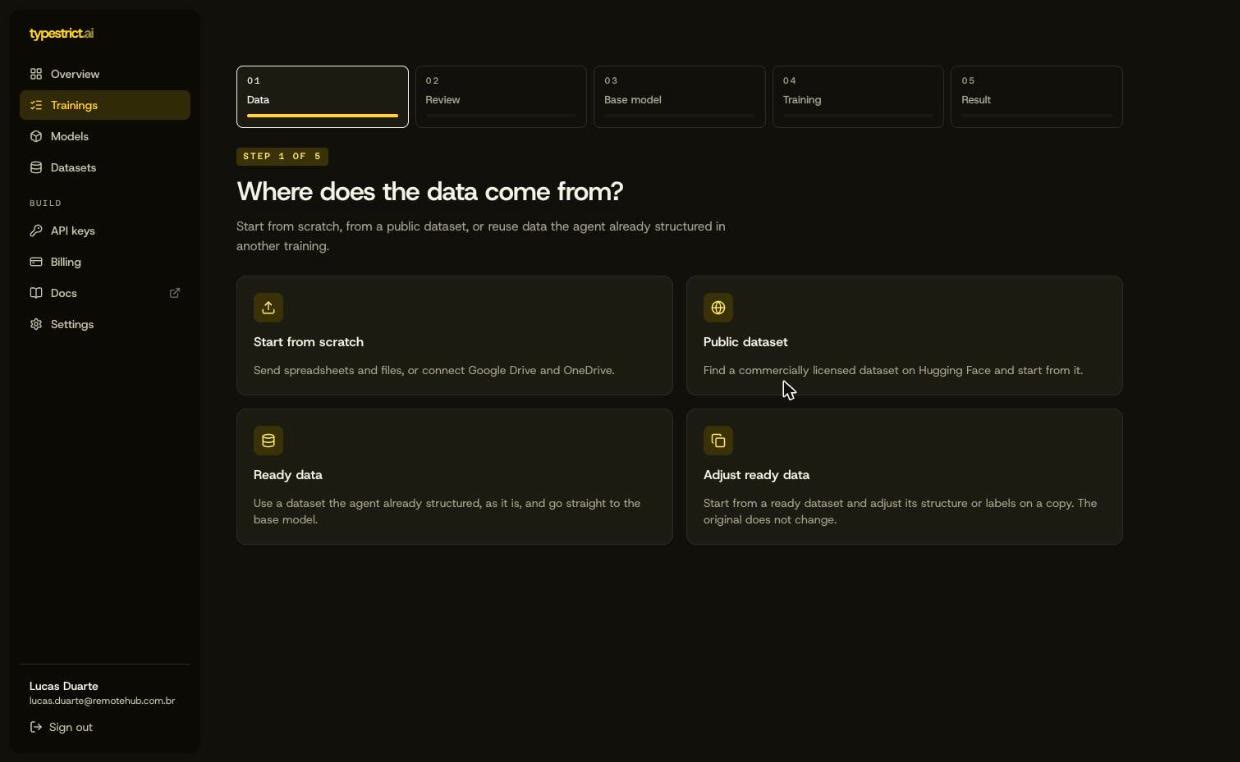
Then write the decision in one sentence. That sentence is the most important input of the whole training: the agent reads your files through it. Route each ticket to the right team works; analyze my tickets does not, because it is not a question with a finite set of answers.
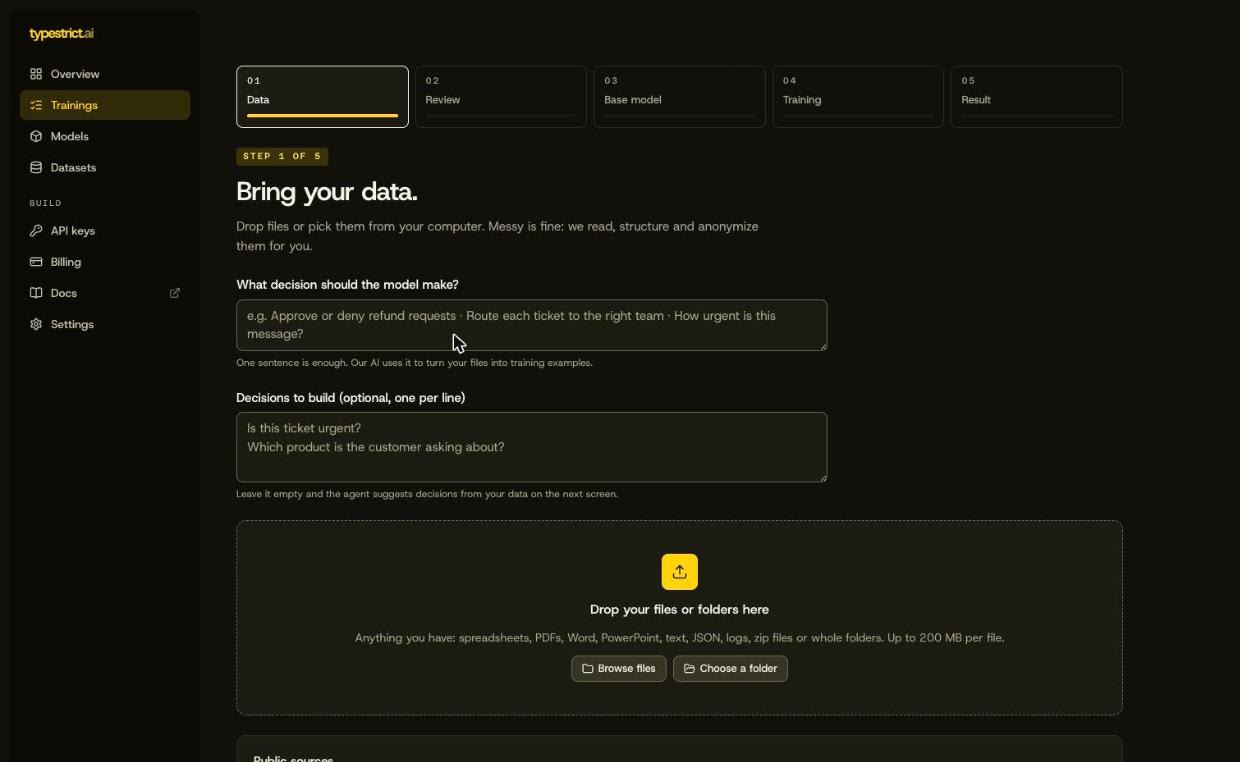
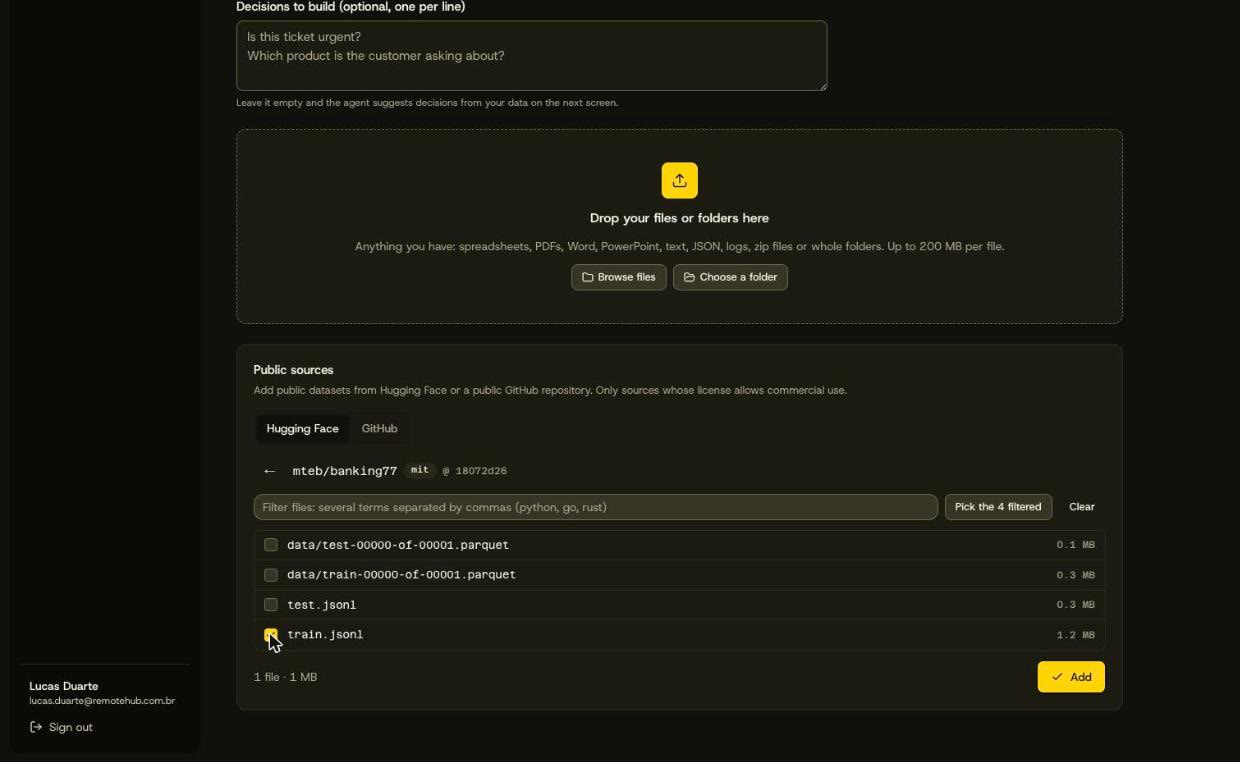
For this guide we used a public dataset: Banking77, about 10,000 messages that customers sent to a bank, each with one of 77 intents. Public sources come from Hugging Face or a public GitHub repository, and only those whose license allows commercial use can be picked.
Whatever you send is masked before any model reads it: names, emails, phone numbers, documents and card numbers. The original upload is deleted as soon as the masked copy exists.
2. Review what the agent proposes
With the data in, Structure my data asks our AI to turn your files into training examples: what the model reads, what it answers and where the answer comes from. If you are not sure which decision to train, Suggest decisions proposes some from the data first.
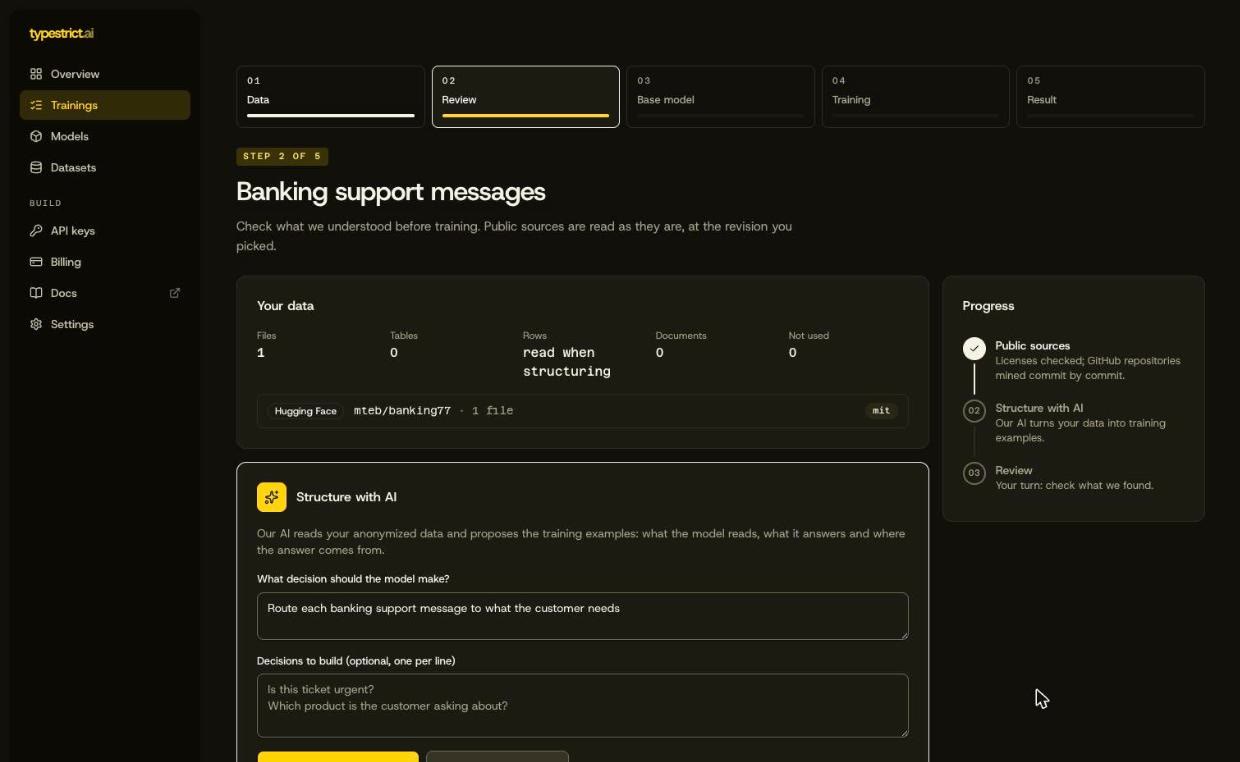
On Banking77 the proposal came back in about a minute, at an AI cost of half a cent. Read it as you would read a colleague's plan:
- The question the model will answer, in plain words.
- Where the answer comes from: a column of your data, or examples you will label.
- Why the agent chose this structure, in its own words.
- Answers per option: how many examples each answer has. An option with very few examples is one the model will learn badly; merge it or bring more data.
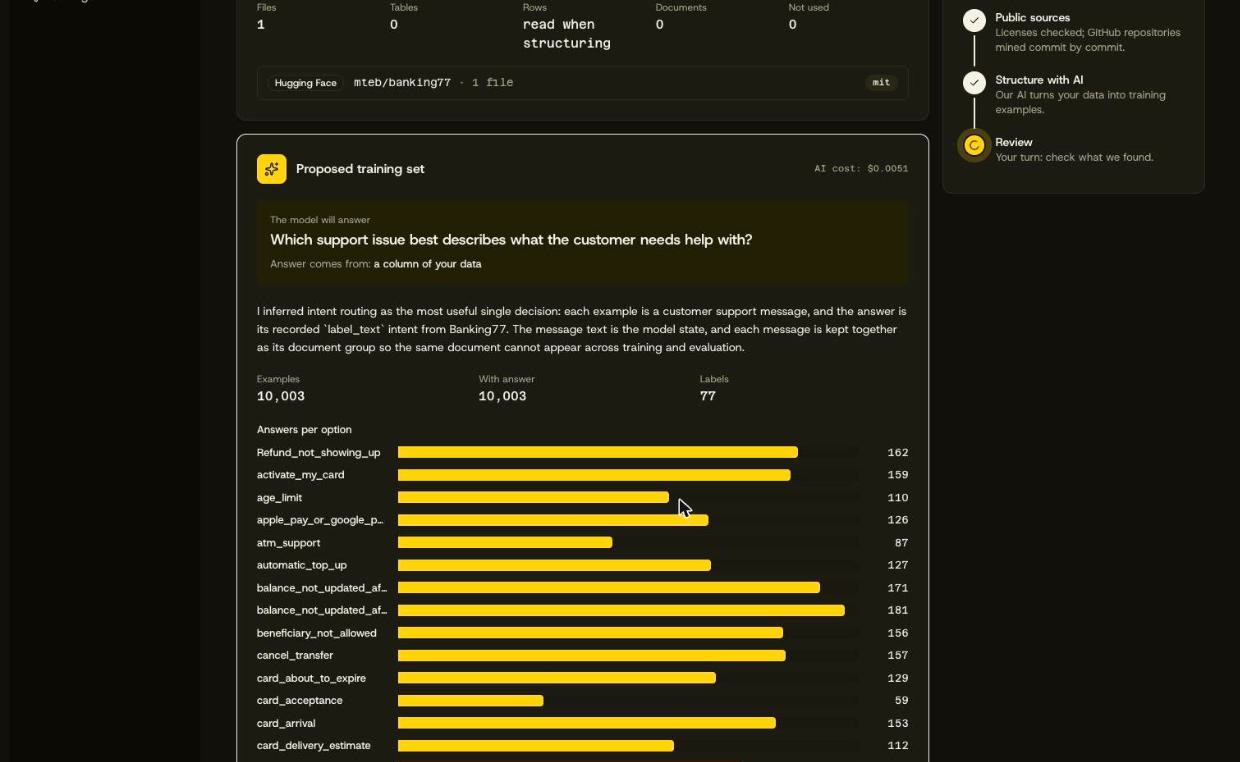
If it looks right, confirm. If not, Adjust takes a note in plain words (use the subject too, ignore internal notes, merge two options) and redoes the proposal with it. When your data has no answers yet, the agent pre-labels it and asks you to answer a sample by hand: those are the examples the guarantee is measured on, so they must be yours.
3. Pick a base model
Every base model is ours, open and cleared for commercial use, and every one costs the same credit. TS-moBERTo-150M is the default: it reads English and Portuguese and fits most tasks. The smaller Ettin bases answer faster and use less memory on a CPU, at the cost of some accuracy when examples are few.
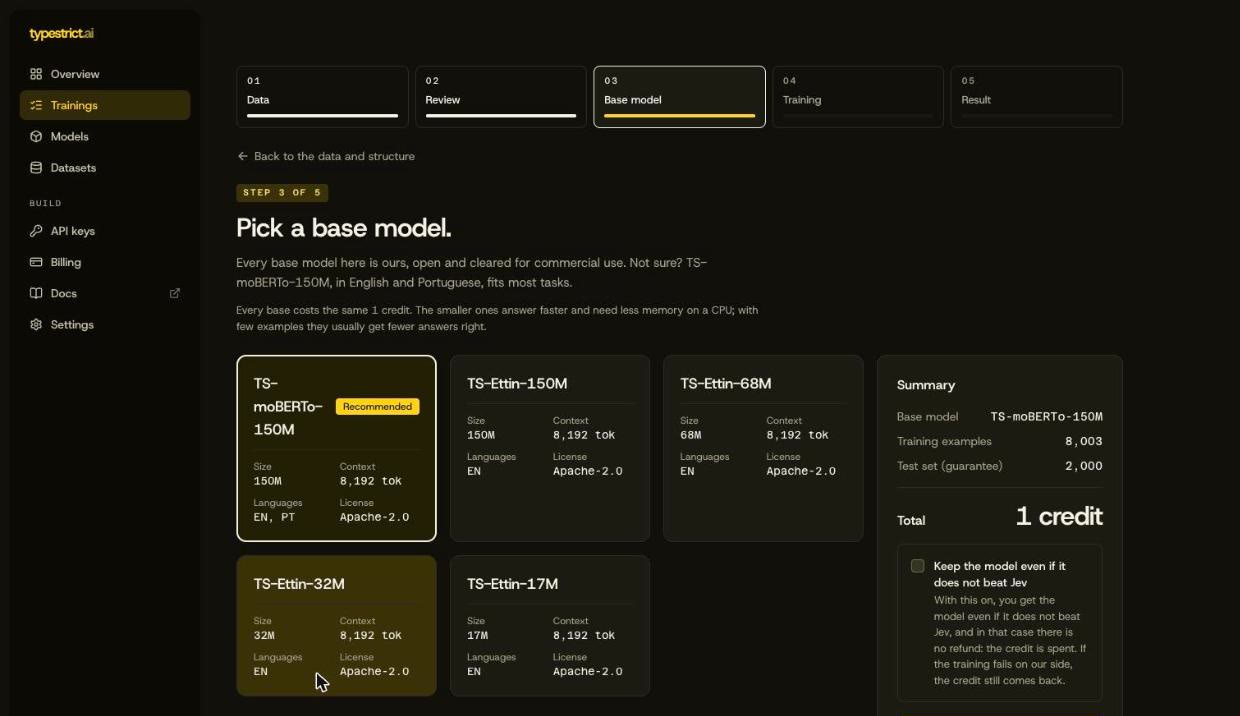
20% of the examples are held out and never seen in training. The model and Jev answer exactly those, and the comparison decides the verdict. By default a model that does not beat Jev is not delivered and the credit comes back. Keep the model even if it does not beat Jev gives up that refund, in exchange for the files.
4. Training
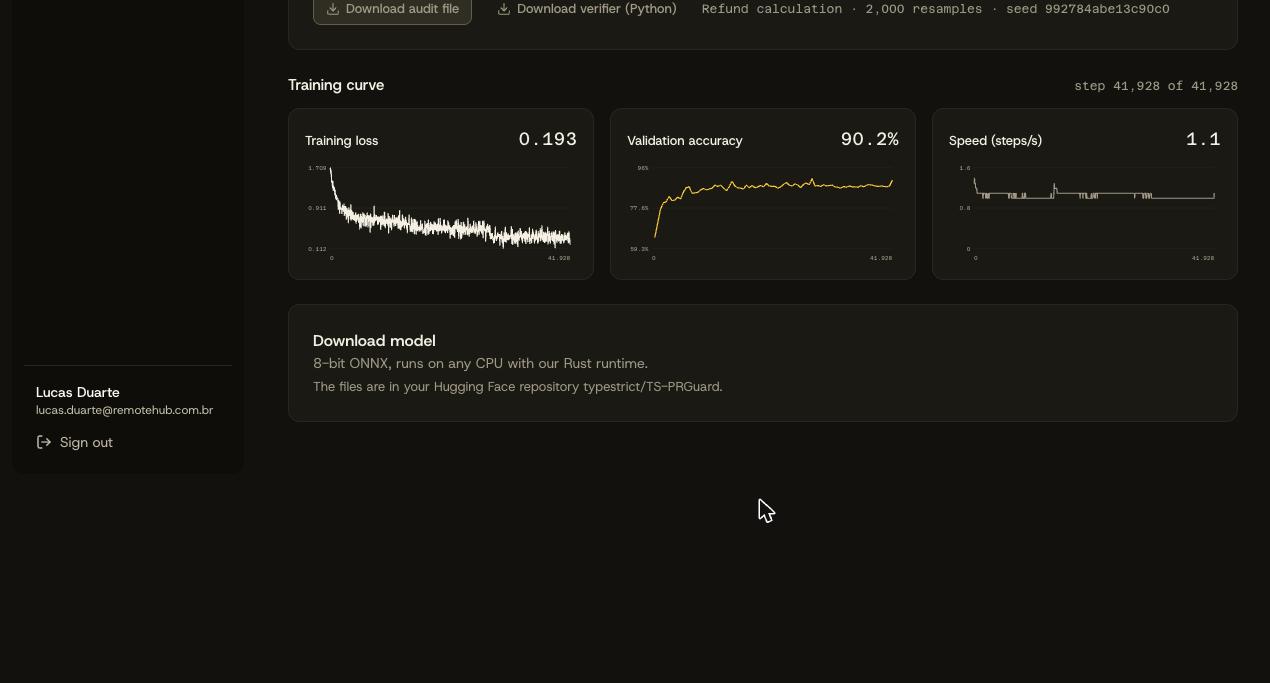
Starting the training spends the credit. The run page then shows each stage live (preparing the data, the GPU, the training, the comparison with Jev) with the curve as it moves, and we email you when it ends. You can close the tab. If something fails on our side, we try again by ourselves; if it still fails, the credit comes back at once.
5. The result
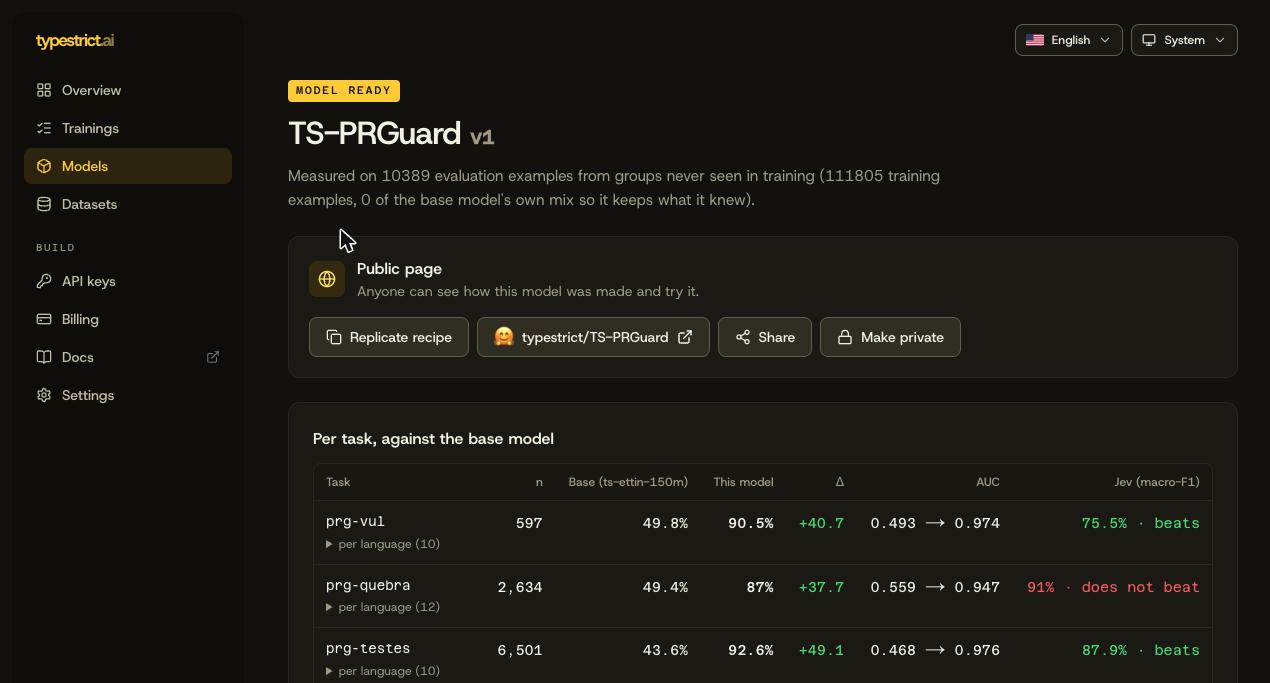
A finished model opens on its result. This is TS-PRGuard, the model behind pr-guard, trained the same way: one row per question, the base model before training, the trained model, and Jev on the same held-out examples.
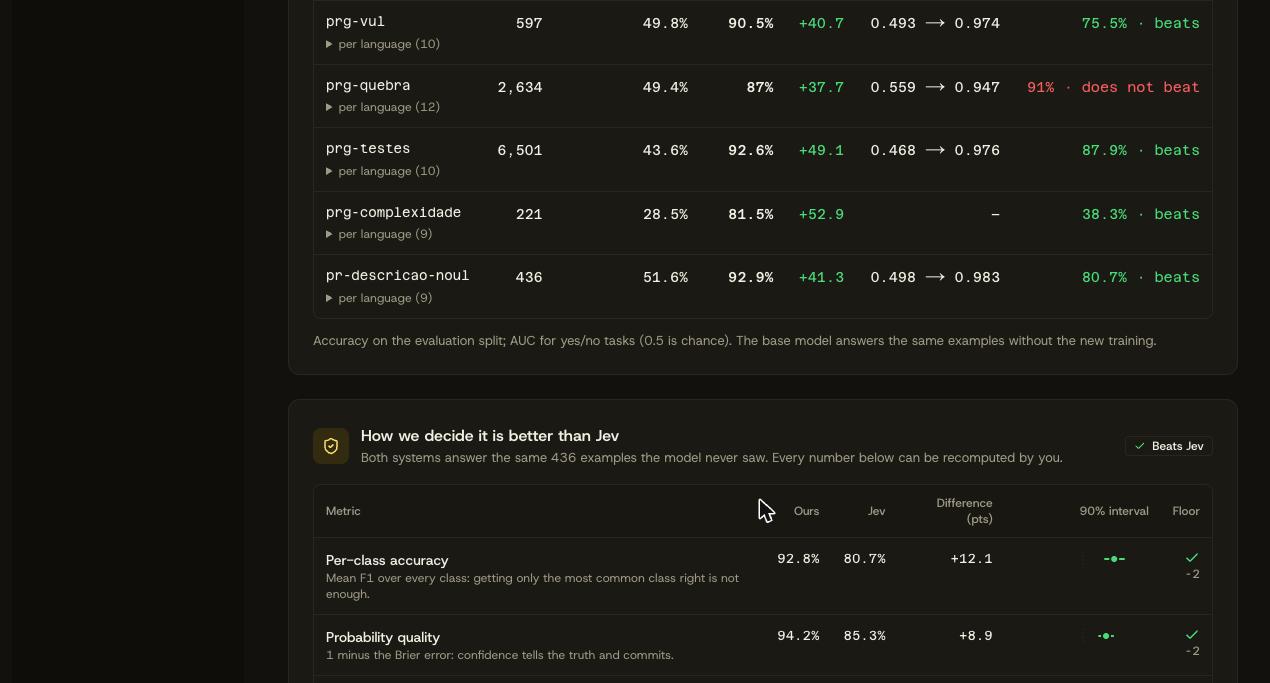
Below it, How we decide it is better than Jev shows each metric with ours, Jev's, the difference and its interval, and the floor each one must clear. It is not a single accuracy number: getting only the most common answer right is not enough, and the probabilities must be honest too.
Then the files. The model is an 8-bit ONNX that runs on any CPU, with our Rust runtime or any ONNX runtime, inside your own infrastructure. The files stay available for 30 days; you can also publish the model to your Hugging Face account and give it a public page with a playground.
Before your first credit
- Write the decision as a question with a closed set of answers. Most weak models come from a vague question, not from the base model.
- Look at the answers per option. Fewer than a few dozen examples for an option is a warning; merge rare options or bring more data.
- Label the sample yourself when the agent asks. Those answers are the referee of the guarantee.
- Start with the recommended base. Try a smaller one later if you need speed on the CPU.
- Read the result per question, not only the verdict. It tells you where more data would help most.
Questions about your own data? Write to us at contact@typestrict.ai, or start a training at typestrict.ai.